Give every student
a robot to code.
More coding. Less waiting for a turn. Bring virtual robotics to your middle or high school classroom with the BrainSTEM Virtual Robot Simulator.
Build programs, test ideas, and debug in an interactive 3D environment—before, alongside, or without physical robots.
Chromebook · iPad · Laptop / Chrome recommended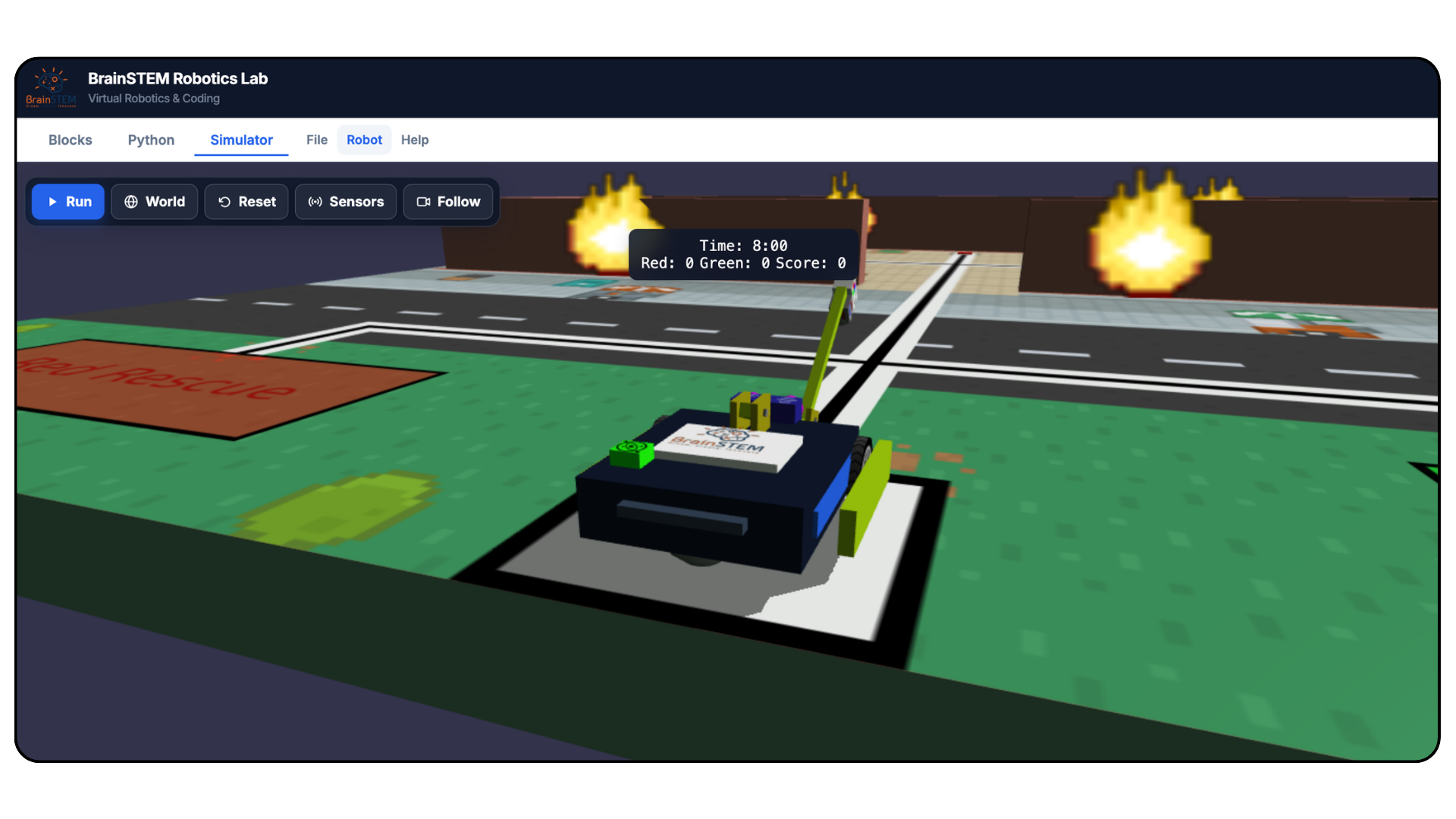
Make room for every
student’s next idea.
Shared robots have a place in your program. Independent coding practice should, too.
Turn an idea into code.
Use visual blocks to create movement sequences, explore programming concepts, and plan a route through the virtual environment.
See what happens.
Run the program and observe the robot’s response. Connect the instructions students write with the behavior they see.
Make the next attempt count.
Adjust a distance, revise a turn, or rethink a sequence. Give students space to practice debugging and explain their decisions.
A virtual lab.
A real coding challenge.
Build lessons around the programming concepts your students are ready to explore.
Block-based programming
Start with drag-and-drop code and explore sequencing, loops, variables, and functions.
Movement and motors
Experiment with driving, turning, speed, acceleration, and motor controls.
Sensors and logic
Explore gyroscope, color, and ultrasonic distance blocks alongside conditional programming.
Interactive simulation
Run code, observe movement, reset the robot, and test another approach.
Python exploration
Explore the Python representation of programs and connect visual coding to text-based instructions.
Download your code
Save block programs as XML files or download Python code for future reference.
Choose a robot.
Take on a mission.
Connect code to a purpose with different robot designs and challenges that give each attempt a clear goal.
Different tools. New approaches.
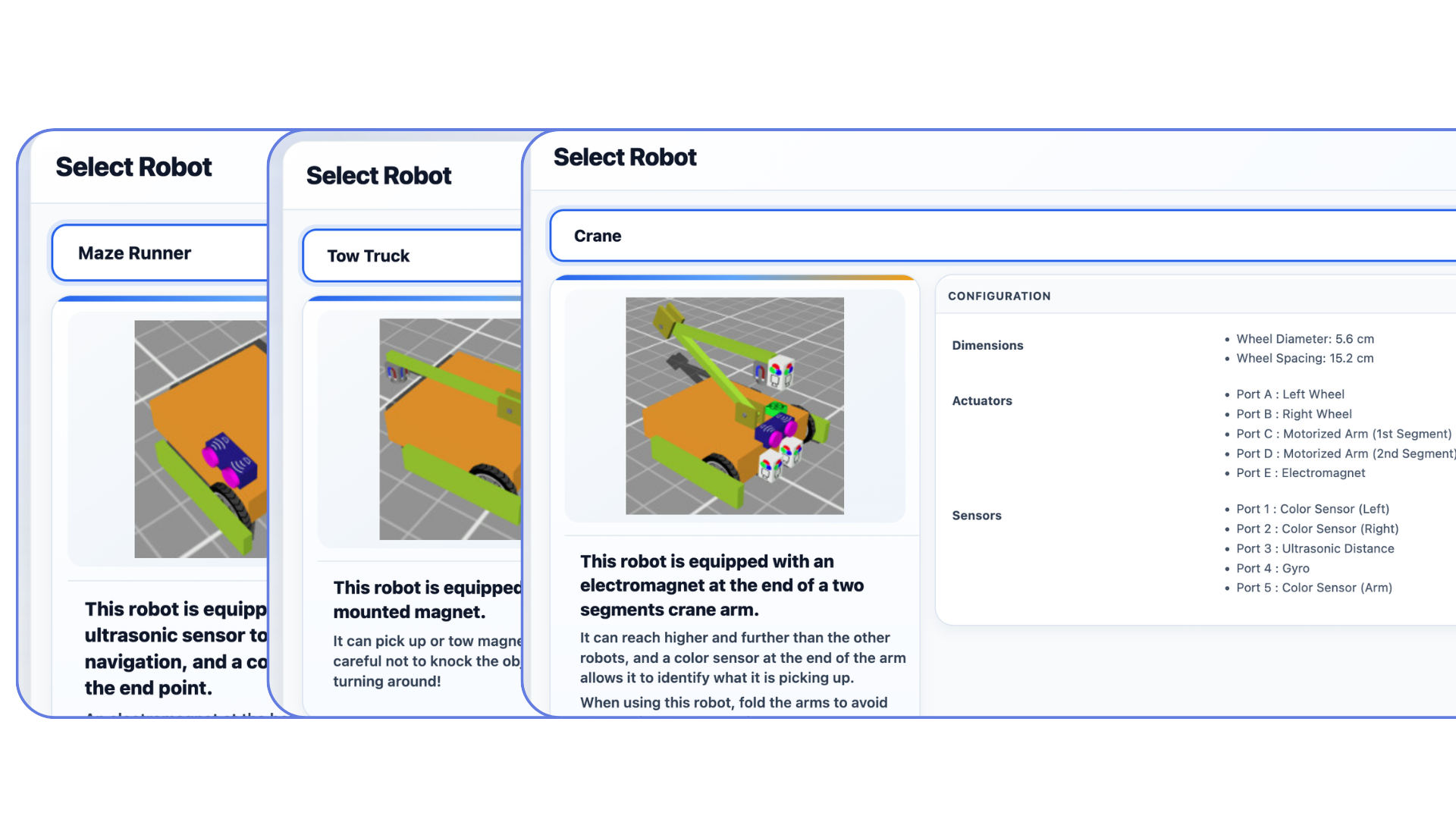
Explore Maze Runner, Tow Truck, and Crane robot options. Compare their equipment and consider how sensors, magnets, and a crane arm could change your approach to a task.
Give every program a purpose.
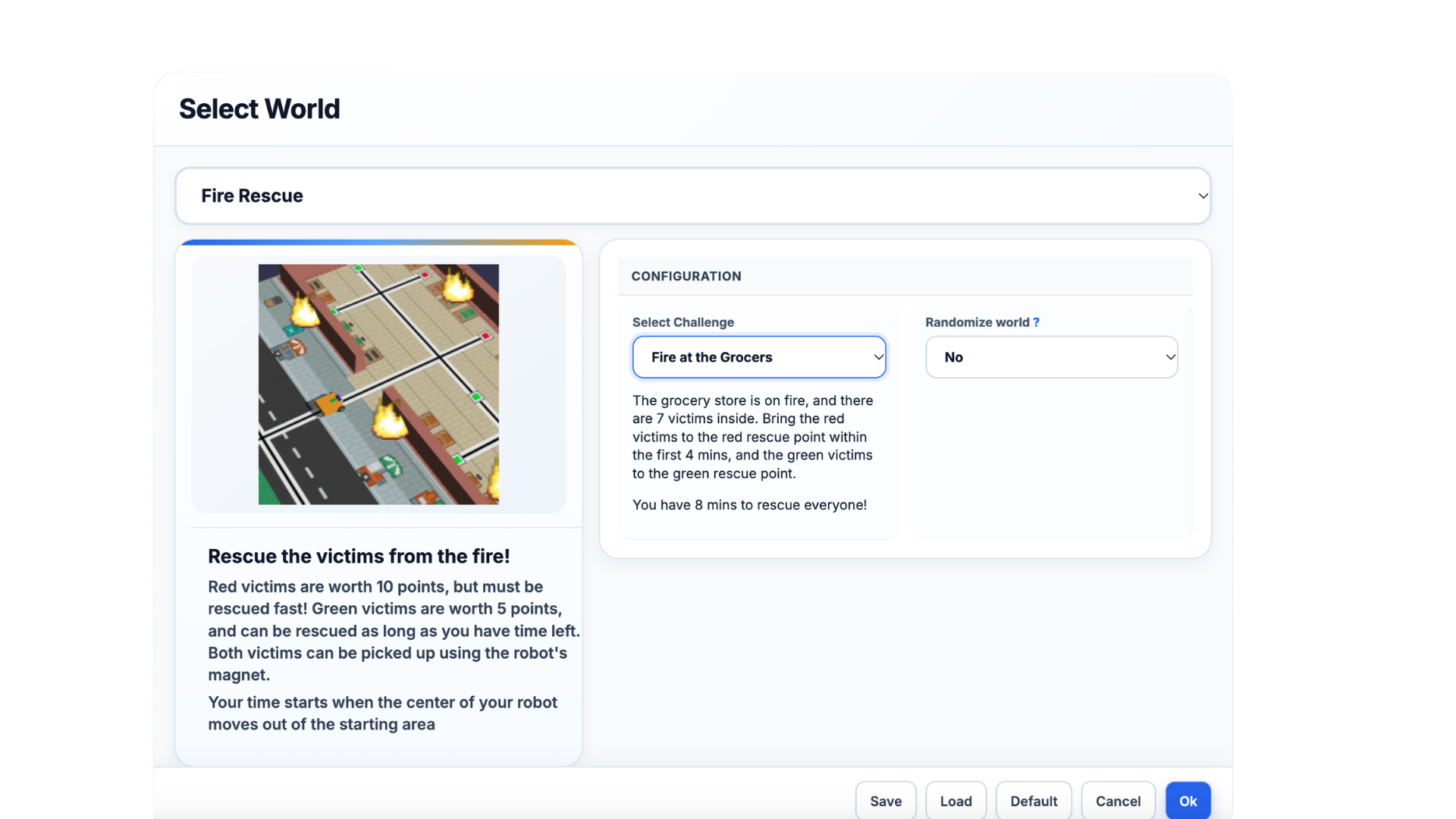
In Fire Rescue, plan a route, move rescue targets, and work against the clock. Use the mission objectives to prompt discussion about sequencing, priorities, and debugging.
Build your program
beyond the robot cart.
Introduce robotics, expand independent practice, or prepare students to work with shared physical equipment.
- Classroom teachers: Bring programming and problem-solving into everyday STEM instruction.
- Robotics coaches: Give team members individual coding practice alongside team builds.
- School leaders: Explore access across classrooms, enrichment programs, and multiple schools.

More opportunities
to build what’s next.
BrainSTEM brings robotics, coding, and creative problem-solving together. The Virtual Robot Simulator gives educators another way to make space for hands-on programming practice.
Help us shape the next stage. Join the educator pilot and share what your classroom needs.
Help shape the future
of virtual robotics.
We’re inviting 20 educators to explore the BrainSTEM Virtual Robot Simulator, complete guided challenges, and share the classroom perspective that makes a better platform.
Complete the educator intake form to express interest. The pilot includes one 30–45-minute orientation, six testing challenges, and three short surveys.
Educator participation only; no student participation required. Structured pilot participation is limited. Submitting interest does not guarantee a place. Student accounts are arranged separately.A few practical questions.
Do we need physical robots?
No physical robot is required to use the simulator. You can use it for virtual coding practice or alongside physical robotics instruction. Programs may require adaptation for a physical robot; direct transfer is not promised.
What technology does our school need?
A Chromebook, iPad, or laptop with a strong Wi-Fi connection. Chrome is recommended. Contact BrainSTEM to discuss your school’s device and network setup.
How do educator and student accounts work?
BrainSTEM creates school organizations and individual user accounts. Educators at the same school share an organization while keeping individual accounts. Student access is coordinated separately with the school.
Does the platform automatically track student progress?
Task completion is currently self-reported through completion checkboxes. Educators should collect separate evidence, such as saved programs, observations, or student explanations, to assess understanding.
How much does school access cost?
Contact kara@brainstemu.com to discuss student seats, your implementation needs, and licensing options.
How do I join the educator pilot?
Complete the educator intake form to express interest. BrainSTEM will follow up about participation and account access. Questions or technical issues? Email kara@brainstemu.com; our response target is within 48 hours.
More room to code. More possibilities to explore.
BrainSTEM Virtual Robot Simulator · Built for the next generation of problem-solvers.