Big questions.
New worlds.
Deeper learning.
Bring science, careers, history, and community challenges into spaces students can explore—and create.
BrainSTEM Metaversity connects immersive experiences with purposeful instruction, student projects, and support for the educators who make it happen.
Start with your existing devices. We’ll help match experiences to your school’s setup.
Give students a reason
to step inside.
A virtual space becomes a learning experience when students have a question to investigate and something meaningful to explain.
Make the abstract visible.
Enter a neighborhood, investigate a system, or encounter a story. Give students a shared context for observation, questions, and discussion.
Put thinking into action.
Compare solutions, examine evidence, and connect a decision to its consequences. Pair exploration with purposeful student tasks.
Show what learning looks like.
Bring research, images, videos, and digital projects together in a virtual exhibit students can explain to classmates and families.
A neighborhood problem.
A classroom full of investigators.
In The Neighborhood Litter Problem, students explore Greenfield Neighborhood, observe where litter accumulates, and examine possible environmental consequences.
Two solution portals let students compare interventions. Monitoring data, cost, and maintenance considerations give them evidence for a recommendation they can defend.
- Observe: Investigate five neighborhood locations and record patterns.
- Compare: Explore two solutions and identify what changes.
- Recommend: Use evidence to explain a community decision.
Mission 001 • Grades 3–5 teacher materials include a facilitation guide and student investigation worksheet.
Preview the planning graphic


Connect the curriculum
to a bigger world.
BrainSTEM’s project work spans environmental infrastructure, invention, and the people behind STEM.
Wastewater Treatment
Game & Simulator
Bring the systems beneath our communities into the conversation. BrainSTEM’s wastewater treatment game and simulator create a context for exploring how wastewater, infrastructure, and environmental decisions connect.
Classroom connections: Water quality, treatment processes, community infrastructure, and the STEM careers that help keep systems working.
Read the wastewater case studyThe Lewis Latimer
Experience
Connect the story of an inventor with the science and creativity behind technological change. The Lewis Latimer experience brings history and STEM into the same learning conversation.
Classroom connections: Black history, invention, contributions to electric lighting, and the relationship between technical knowledge and opportunity.
Discuss the Lewis Latimer experienceContact BrainSTEM for current availability, recommended grade levels, facilitation options, and access to individual experiences.


Their community.
Their questions.
Their story to share.
Through our FSL-STEM work with the National Center for Families Learning, students and families investigate community challenges, explore STEM careers, and build immersive presentations of their learning.
Our two-room model connects a local problem with the people and pathways that could help solve it.
Students can bring photos, videos, research, presentations, and 3D objects into a shared space—then explain the connections in their own words.
One platform.
More ways in.
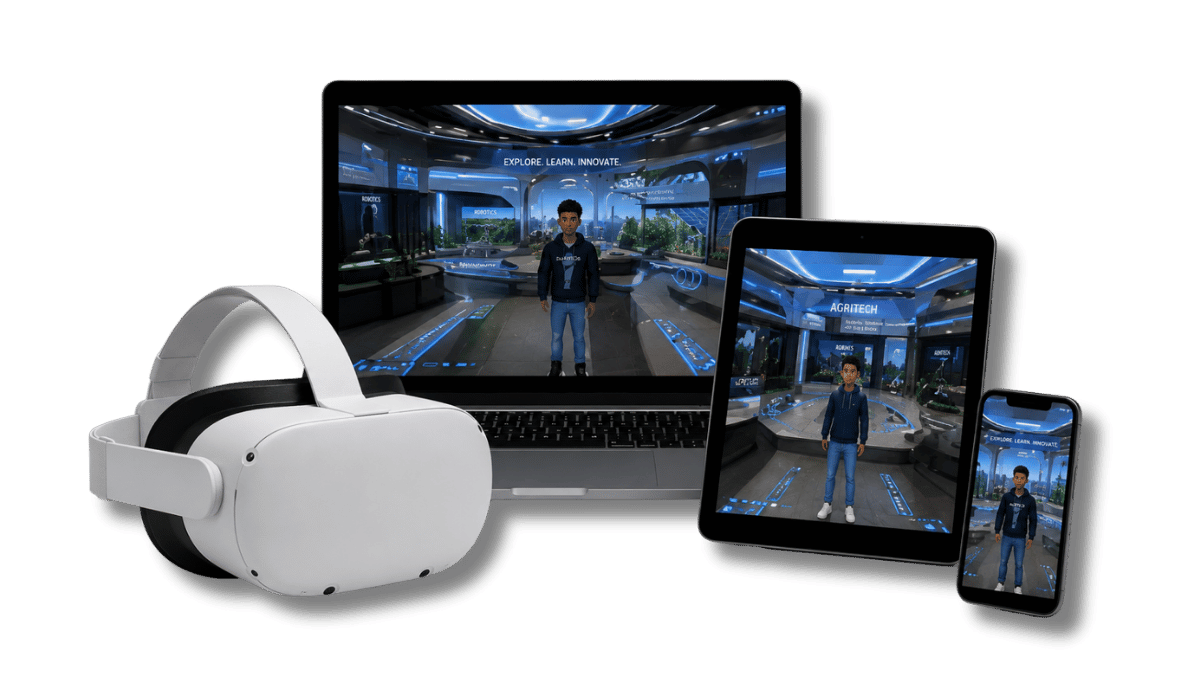
Explore through a laptop or Chromebook, use a tablet or phone, or step into a compatible VR headset. A headset is one way to participate; schools can also plan browser-based learning.
Match the format to the lesson: teacher-led exploration, student investigation, a shared exhibition, or a family learning event.
BrainSTEM will help review device compatibility, room capacity, network requirements, and experience selection for your setting.
Build a program
that fits your district.
Start with your instructional priorities. Choose the experiences, creation tools, and implementation support that fit your schools.
Bring the learning to class.
Discuss access to BrainSTEM experiences for investigations, career exploration, enrichment, and cross-curricular learning.
Make room for student work.
Explore teacher-led sessions and creator access for virtual exhibits, immersive portfolios, and student-designed spaces.
Plan across schools.
Discuss district environments, custom content, professional development, and deployment support around your goals.
Questions from schools.
Do all students need a VR headset?
No. Metaversity supports browser-based participation as well as compatible VR headsets. Schools can plan lessons around their available devices. BrainSTEM can help confirm compatibility for the selected experiences.
Can students create their own learning spaces?
Creator access can support virtual exhibits, portfolios, and student-built environments. Ask BrainSTEM about accounts, licensing, publishing permissions, and educator facilitation for your implementation.
How do the experiences connect to our curriculum?
Start with your learning objectives and grade levels. BrainSTEM can help select suitable experiences and discuss related tasks, teaching materials, and standards connections. The Neighborhood Litter mission includes a Grades 3–5 facilitation guide and student worksheet.
What can our technology team review?
We can discuss your devices, browsers, network access, account roles, room access, student information requirements, and school approval process. Bring your district’s requirements to the planning conversation.
Are the public rooms the same as a school license?
Public rooms offer an introduction to the platform. School and district access, creator tools, custom experiences, and services depend on the agreed implementation and licensing scope.
How much does Metaversity cost for a school or district?
Request a proposal based on your participating schools, educators, students, experiences, creation needs, and support requirements. Contact kara@brainstemu.com to start the conversation.
Let’s plan what your
students will explore.
Tell us your school or district, grade levels, student count, available devices, and the experiences that interest you.